
- 100% Secure
- Easy-To-Use
Online Video Compressor
Compress your videos quickly with our Online Video Compressor. Upload popular video formats such as MP4, MOV, AVI, MKV, and WEBM, and reduce file size without installing software. Our fast, secure, and easy-to-use tool works smoothly on desktops, tablets, and smartphones. Optimize videos for faster sharing, uploading, storage, and email. Whether for social media, business, education, websites, or personal use, our video compressor provides a convenient solution while helping maintain good video quality and protecting your files during processing.
Features of Our Online Video Compressor
- 100% Secure
- Sign-Up Required
- Multiple Video Formats
- Fast Video Compression
- Maintain Good Quality
- No Software Required
- Easy to Use
- Works on All Devices
- Secure Processing
- Save Storage Space
- Easy Sharing & Uploading
- Instant Results
Online Video Compressor
Our Online Video Compressor is designed for users worldwide
who need a fast, free, and secure way to reduce video file sizes. Easily compress popular video formats such as MP4, MOV, AVI, MKV, and WEBM without installing any software. Enjoy a simple and user-friendly interface, fast processing, privacy protection, and compatibility across desktops, tablets, and smartphones. Compress videos to save storage space, speed up uploads, and make sharing through email, social media, websites, and messaging platforms easier. Whether you need to optimize videos for personal, educational, or professional use, Rago Video Compressor provides a convenient solution with quality-focused compression and instant downloads.
Key Features
- 100% Secure
- Multiple Video Formats
- Fast Compression
- Good Video Quality
- Easy-to-Use Interface
- Multiple Uses
- Save Storage Space
What Is an Online Video Compressor?
An Online Video Compressor is a web-based tool that reduces the file size of one or more video files while maintaining good video quality. It helps users make large videos smaller, making them easier to upload, share, store, send through email, or post on social media.
Most online video compressors support popular video formats such as MP4, MOV, AVI, MKV, and WEBM. Users can simply upload a video, choose the required compression settings, and compress the file without needing specialized technical knowledge or installing software.
RagoTools Online Video Compressor works directly through a web browser, providing a convenient way to optimize video files from different devices. It is designed to be fast, secure, and easy to use, and works smoothly on desktops, laptops, tablets, and smartphones.
Whether you are compressing personal videos, educational recordings, business presentations, social media content, tutorials, or other large video files, an online video compressor can help reduce file size while keeping the video suitable for everyday use. RagoTools provides a simple solution for anyone who needs to manage and share videos more efficiently.
What Does an Online Video Compressor Include?
An Online Video Compressor typically includes a range of features and capabilities designed to reduce video file sizes while maintaining good video quality. It allows users to compress videos quickly and conveniently without installing additional software.
- Support for Multiple Video Formats – Supports popular formats such as MP4, MOV, AVI, MKV, WEBM, and other commonly used video file types.
- Single Video Compression – Compress one video file quickly and easily through the online tool.
- Easy Video Upload – Upload videos through a simple and user-friendly interface.
- Drag-and-Drop Upload – Easily drag and drop a video file into the upload area for quick processing.
- Reduced Video File Size – Significantly reduces the size of large video files, making them easier to store, share, and upload.
- Good Video Quality – Compresses videos while aiming to preserve clear and acceptable visual and audio quality.
- Fast Processing – Processes video files quickly, helping users save time when preparing videos for sharing or uploading.
- Secure File Processing – Protects uploaded files and helps maintain user privacy during the compression process.
- No Software Installation – Works directly in a web browser, so users do not need to install desktop video-compression software.
- Cross-Platform Compatibility – Can be accessed from Windows, macOS, Linux, Android, and iOS devices.
- Browser Compatibility – Works with popular modern browsers such as Chrome, Edge, Firefox, Safari, Opera, and others.
- Easy Video Sharing – Smaller video files are easier to share through email, messaging platforms, social media, and other online services.
- Faster Uploads – Reduced file sizes can help users upload videos more quickly to websites, cloud storage, and social platforms.
- Storage Saving – Compressing large videos helps save valuable storage space on computers, smartphones, tablets, and cloud services.
- Instant Download – After compression is completed, users can download the optimized video file immediately.
- Simple and User-Friendly Interface – Designed for beginners and experienced users without requiring advanced video-editing knowledge.
These features make an Online Video Compressor useful for students, content creators, social media users, businesses, professionals, website owners, and everyday users who need to reduce video file sizes for sharing, uploading, emailing, storage, or online publishing.
Why Is an Online Video Compressor Needed?
An Online Video Compressor is needed to reduce video file sizes while maintaining good visual quality. Large video files can take longer to upload, download, share, and store. Compressing videos makes them easier to send through email, messaging apps, websites, and social media platforms. It also helps save valuable storage space on computers, smartphones, and cloud services.
An online video compressor is especially useful for students, content creators, businesses, marketers, and everyday users who regularly work with videos. Since it works directly through a web browser, there is usually no need to install additional software. Users can simply upload a video, choose their preferred compression settings, and download the smaller file.
By reducing file size, an online video compressor can improve upload speed, sharing convenience, storage efficiency, and website performance, making video management faster and easier.
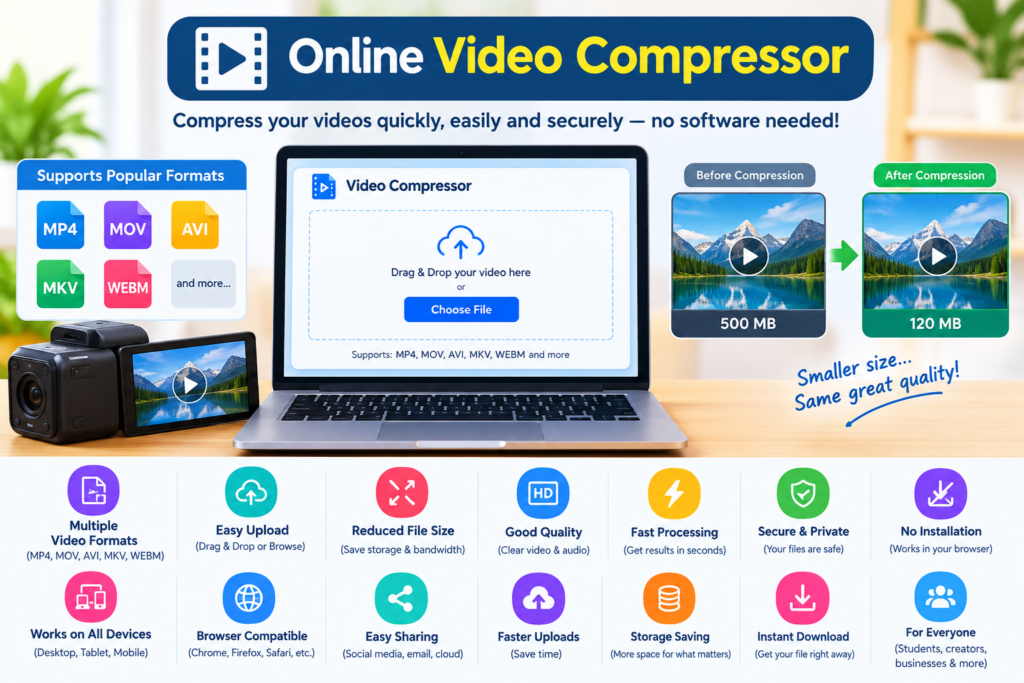
Benefits of Using Our Online Video Compressor
Our Online Video Compressor provides a simple and efficient way to reduce video file sizes without compromising too much on quality. It offers several benefits for personal, professional, and online use:
- Reduce Video File Size – Compress large videos into smaller files for easier storage and sharing.
- Maintain Good Quality – Optimize videos while preserving clear visuals and smooth playback.
- Fast and Convenient – Compress videos directly from your browser without installing software.
- Save Storage Space – Smaller video files require less space on your device or cloud storage.
- Easy Sharing – Send compressed videos more easily through email, messaging apps, and social media.
- Improve Upload Speed – Smaller files can upload faster to websites and online platforms.
- Multiple Format Support – Work with popular video formats such as MP4, MOV, AVI, MKV, and WEBM.
- Works on Any Device – Access the tool conveniently from desktops, tablets, and smartphones.
Frequently Asked Questions (FAQs)
What is a video compressor?
A video compressor is an online tool that reduces the file size of a video while maintaining good visual quality.
Why should I compress a video?
Compressing videos saves storage space and makes them easier and faster to upload, share, email, or send through messaging apps.
Which video formats can I compress?
Most video compressors support popular formats such as MP4, MOV, AVI, MKV, and WEBM.
Will compression reduce video quality?
Video compression may slightly reduce quality, but a good compressor balances file size and quality to provide clear results.
Do I need to install software?
No. An online video compressor works directly in your web browser, so you can compress videos without installing software.
Is an online video compressor safe to use?
A secure video compressor should protect your uploaded files and use safe processing methods to keep your videos private.
WHO CANE USE AN ONLINE VIDEO COMPRESSOR
- An online video compressor is useful for:
- Students – Compress videos for assignments and projects.
- Content Creators – Reduce video size for social media uploads.
- Businesses – Optimize videos for websites and presentations.
- Marketers – Prepare videos for faster online sharing.
- Individuals – Save storage space and share videos easily.
- Professionals – Compress videos for email and file transfers.