
- 100% Free
- No Sign up Required
Free Image To PDF. Converter Online
Convert your images to high-quality PDF files online in just a few clicks with our free Image to PDF Online tool. Easily upload JPG, JPEG, PNG, WEBP, BMP, GIF, or other image formats and merge them into a single, professionally formatted PDF without installing any software. Our fast, secure, and user-friendly converter works seamlessly on desktops, tablets, and smartphones, allowing you to create PDF documents anytime, anywhere. Rearrange images, preserve original quality, and generate printable PDF files instantly for business, education, office work, or personal use. All uploaded files are protected with secure processing to help keep your data private.
Features of Our Free image to pdf. converter online
- Free to Use
- Supports Multiple Formats
- Merge Multiple Images
- High-Quality Output
- Fast Conversion
- No Software Required
- Easy to Use
- Rearrange Images
- Secure Processing
- Works on All Devices
- Browser Compatible
- Printable PDFs
- Unlimited Conversions
- Instant Results
image to pdf. converter
Our Converter is designed for users worldwide.
Choose Rago Image to PDF Converter for its fast, free, and secure image-to-PDF conversion. Easily convert JPG, PNG, WEBP, BMP, GIF, and more into high-quality PDF files without installing software. Enjoy a simple interface, unlimited conversions, privacy protection, cross-device compatibility, and instant downloads for personal, educational, or professional use.
Key Features
- Simple, Fast & User-Friendly Interface
- No signup or registration required
- Supports JPG, PNG, JPEG, WEBP & GIF
- Merge Multiple Images into One PDF
- Secure & Private File Processing
- Professional PDF Report
- Responsive Design
- Free Forever
- 100% Reliable
What Is an Image to PDF Converter?
An Image to PDF Converter is a tool that converts one or more image files into a single PDF (Portable Document Format) document. It allows you to combine photos, scanned documents, screenshots, artwork, and other images into a high-quality, easy-to-share PDF file.
Most Image to PDF converters support a wide range of image formats, including JPG, JPEG, PNG, WEBP, BMP, GIF, TIFF, TIF, SVG, HEIC, HEIF, ICO, AVIF, PSD, RAW image formats (such as CR2, NEF, ARW, DNG), and many more. You can upload a single image or multiple images, arrange them in your preferred order, and convert them into one professionally formatted PDF.
An online Image to PDF converter works directly in your web browser, so there is no need to install any software. It is fast, secure, and compatible with desktops, laptops, tablets, and smartphones. Whether you need to convert photos, scanned documents, receipts, invoices, certificates, notes, presentations, drawings, or business documents, an Image to PDF converter provides a simple and reliable solution while preserving image quality. It is an ideal tool for students, professionals, businesses, and personal users who need printable, organized, and shareable PDF documents.
What Does an Image to PDF Converter Include?
An Image to PDF Converter typically includes the following features and capabilities:
- Support for Multiple Image Formats – JPG, JPEG, PNG, WEBP, BMP, GIF, TIFF, TIF, SVG, HEIC, HEIF, AVIF, ICO, PSD, and many more.
- Single & Multiple Image Conversion – Convert one image or combine multiple images into one PDF.
- Drag-and-Drop Upload – Easily upload images with a simple interface.
- Image Reordering – Rearrange images before creating the PDF.
- High-Quality PDF Output – Preserves the original image quality.
- Custom Page Size & Orientation – Choose portrait, landscape, or standard paper sizes (A4, Letter, etc.).
- Margin & Layout Options – Adjust spacing and image alignment.
- Fast Processing – Converts images to PDF within seconds.
- Secure File Processing – Protects your uploaded files and privacy.
- No Software Installation – Works entirely in your web browser.
- Cross-Platform Compatibility – Supports Windows, macOS, Linux, Android, and iOS.
- Browser Compatibility – Works with Chrome, Edge, Firefox, Safari, Opera, and other modern browsers.
- Printable PDF Files – Creates PDFs ready for printing and sharing.
- Instant Download – Download your PDF immediately after conversion.
- Unlimited Conversions – Convert as many images as you need without restrictions.
These features make an Image to PDF converter ideal for converting photos, scanned documents, receipts, invoices, certificates, ID cards, notes, assignments, presentations, and business documents into professional PDF files.
Benefits of Using Our Image to PDF Converter
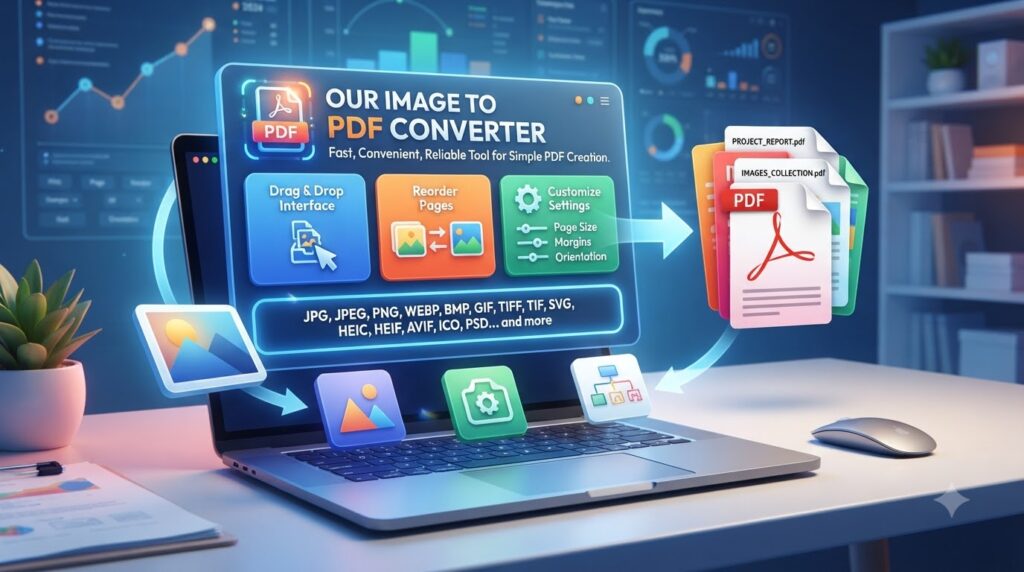
Our Image to PDF Converter is a fast, convenient, and reliable tool designed to make PDF creation simple. It supports a wide range of image formats, including JPG, JPEG, PNG, WEBP, BMP, GIF, TIFF, TIF, SVG, HEIC, HEIF, AVIF, ICO, PSD, and many more.
You can convert a single image or multiple images into one PDF with ease. The simple drag-and-drop interface makes uploading effortless, while the image reordering feature lets you arrange pages exactly as you want. Our converter maintains high-quality PDF output while providing options to customize page size, orientation, margins, spacing, and image alignment.
Frequently Asked Questions (FAQs)
What is an Image to PDF Converter?
An Image to PDF Converter is a tool that converts images into PDF files quickly and easily.
Which image formats can I convert to PDF?
You can convert popular formats such as JPG, JPEG, PNG, WEBP, BMP, GIF, TIFF, SVG, HEIC, and more.
Can I convert multiple images into one PDF?
Yes. You can upload multiple images and combine them into a single PDF document.
Is the Image to PDF Converter easy to use?
Yes, you can use the converter to create PDF files quickly without complicated software.
Do I need to install any software?
No. An online Image to PDF Converter works directly in your web browser without installation.
Can I arrange the images before converting them?
Yes, many converters allow you to reorder images before creating the final PDF.
Is it easy to convert images into PDF?
Yes. Simply upload your images, arrange them if needed, and click the convert button to create your PDF.
Who Can Use Our Image to PDF Converter?
-
Our Image to PDF Converter is designed for anyone who needs to quickly turn images into professional PDF documents. It can be useful for:
Students – Convert class notes, assignments, scanned pages, and study materials into PDFs.
Teachers & Educators – Combine worksheets, educational images, and teaching materials into printable PDF files.
Business Professionals – Convert documents, receipts, charts, and images into organized PDFs for work and sharing.
Office Workers – Create PDFs from scanned documents, forms, reports, and other office files without installing software.
Freelancers & Creators – Combine multiple images, designs, or project files into a single professional PDF.
Small Business Owners – Convert invoices, receipts, product images, and business documents into convenient PDF files.
Personal Users – Create PDFs from photos, scanned documents, certificates, and personal records anytime, anywhere.
Whether you're using a desktop, tablet, or smartphone, our fast and user-friendly Image to PDF Converter makes it easy to create high-quality PDF files in just a few clicks.